
Hello friends!
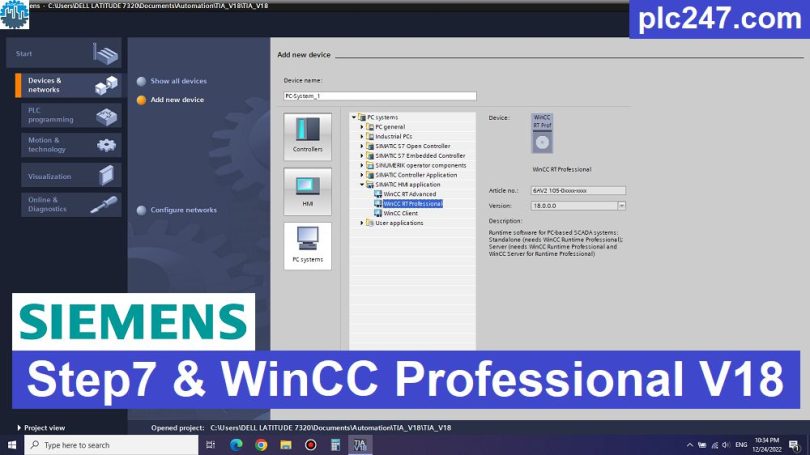
TIA Portal is the base software for all other software development: Programming, device configuration integration in the product range. Features TIA Portal allows software to share the same database, creating unity and integrity for the application system to manage and operate.
TIA V18 was introduced and put into use in Q4 2022. In this version, Siemens focused on adding many more functions to Wincc unified, adding WebUX, adding WebNavigator extensions to Wincc Professional, and adding some safety functions to STEP. Because of the added functions, TIA Portal V18 requires powerful memory and processing power, making it difficult to use on older devices.

Software Installation Guide
+ Step 1: Download the software you need to install (plctop.com recommends using Step7 & WinCC Professional for full functionality) then select “Mount“

+ Step 2: Restart your computer if the software requires it

Note: In some cases, after your computer has finished restarting, the software will restart again, please read the following article:
Fix: You must restart your computer before you can run setup
+ Step 3: Wait for the installation process to complete in a few minutes (depending on your computer configuration strong or not)

+ Step 4: Select Restart Computer or not restart
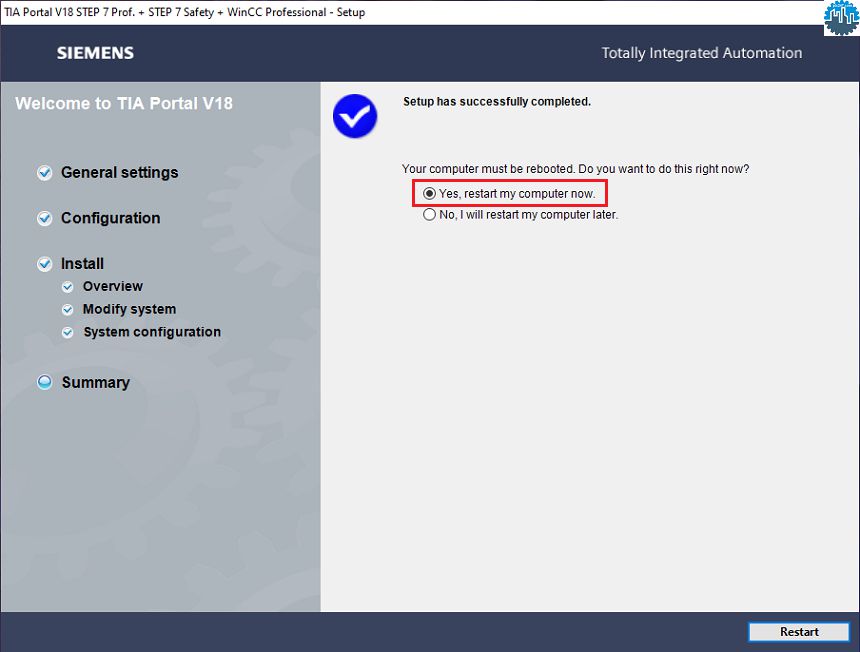
+ Step 5: Run the software
Link Download TIA-Portal V18 Full Package (GoogleDrive)
Please download the official software from the Siemens website using the following link.
Create an account, and you can easily download
Direct download link via Google Drive
1. STEP 7 Professional & WinCC Professional Combo – Download (Recommended)
>>> Download Step7_Safety Pro & WinCC Professional V18
+ Download TIA Portal V18 Update 5 (for STEP7 & WinCC All Versions) (Latest Update)
>>> Download WinCC Runtime Professional V18
+ Download WinCC Runtime Professional V18 Update 5 (Latest Update)
>>> Download StartDrive Advanced V18 Software
2. STEP 7 Professional & WinCC Advanced / Unified Combo – Download
>>> Download Step7_Safety Pro & WinCC Advanced / Unified V18
>>> Download Step7_Safety Pro & WinCC Advanced / Unified V18 DVD2
+ Download TIA Portal V18 Update 5 (for STEP7 & WinCC All Versions) (Latest Update)
>>> Download SIMATIC WinCC Unified PC V18 (Runtime)
+ Download WinCC Unified PC Runtime V18 Update 5 (Latest Update)
3. SIMATIC PLCSIM – Simulator Software for TIA Portal V18
>>> Download S7 PLCSIM V18 SP2
>>> Download SIMATIC PLCSIM Advanced V5
Other Software in Package TIA Portal V18
>>> Download TIA Portal V18 HSP 2025-06-30 (Latest HSP for V18)
>>> Download Siemens PROSAVE V18 Full
>>> Download SIRIUS Soft Starter ES V18 (Multi Language)
+ Download SIRIUS Soft Starter ES V18 Update 5
>>> Download SIMOCODE ES V18 (Multi Language)
+ Download SIMOCODE ES V18 Update 5
>>> Download Unified Comfort Panel V18
>>> Download TIA Portal TestSuite Advanced V18
>>> Download SINAMICS DCC V18
>>> Download SIEMENS SiVarc_V18
>>> Download TIA Portal Cloud Connector V1.2 SP3
>>> TIA Project Server V1.1
TIA Project Server V1.1 Help
>>> SIM EKB Install for TIA Portal V18
Note: Only if you are a student or have a learning need should use this software, for companies and professional engineers I recommend contacting Siemens to buy a license for the best support.
Password Extract: plctop.com (Using New Winrar Software for Extract)
If the download link is broken or you have any problems during the installation of TIA Portal V18, please comment below the article, plctop.com will reply to you as soon as I read the comments.
Best Regards!