


TIA Portal V13 SP2 Update 4 was one of the most widely used versions in automation projects between 2015 and 2019, especially with systems using early S7-1200 and S7-1500 PLCs and Comfort Panel HMIs.
This is an extremely important version; it serves as a bridge between lower TIA Portal versions (V10, V11, V12) and higher versions (V14, V15, V16, V17, etc.). Versions V14 and above cannot directly open TIA Portal V10, V11, or V12 projects; they must be opened indirectly through TIA Portal V13.
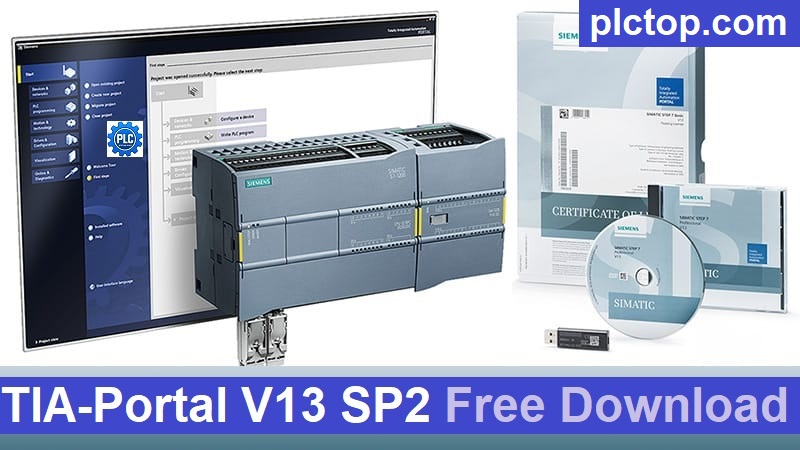
What is TIA Portal V13 SP2 Update.4 ?
The latest update will still be available in 2026.
TIA Portal V13: Siemens’ integrated programming platform.
SP2 (Service Pack 2): A major upgrade package adding features and support for new hardware.
Update 4: The fourth patch update for SP2, focusing on bug fixes, stability improvements, and compatibility enhancements. This is also the version Siemens recommends replacing older V13 SP2 versions.
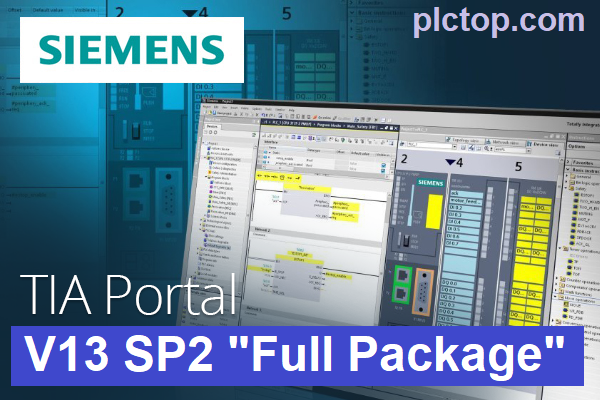
This version integrates multiple software programs into a single environment:
+ STEP 7 Professional
+ WinCC Basic / Comfort / Advanced / Professional
+ Startdrive for SINAMICS inverters
+ PLCSIM
+ Device and diagnostic tool library
Supported Devices
- SIMATIC S7-1200 series PLCs
- SIMATIC S7-1500 series PLCs
- SIMATIC ET 200SP
- HMI Basic Panel and Comfort Panel
- SINAMICS inverters via Startdrive
- PROFINET, PROFIBUS, and basic OPC UA communication
System Requirements
Minimum Recommended:
- CPU: Intel Core i5 or higher
- RAM: 8 GB (16 GB recommended)
- SSD: At least 50 GB free space
- Screen resolution: 1920 × 1080
- Windows 7 SP1 64-bit / Windows 10 64-bit
For newer versions of Windows 10, at least V13 SP2 Update 3 or Update 4 must be installed to ensure compatibility.
TIA-Portal V13 SP2 Software Full Download (Google Drive)
Please download the official software from the Siemens website using the following link.
Create an account, and you can easily download
Direct download link via Google Drive
+ Siemens STEP7 Basic V13 SP2 Installation Package (No need to install V13 or V13SP1)
>>> Download STEP7 Basic V13 SP2 Upd.4 DVD1
>>> Download STEP7 Basic V13 SP2 Upd.4 DVD2
+ Siemens STEP7 Professional V13 SP2 Installation Package (No need to install V13 or V13SP1)
>>> Download STEP7 Professional V13 SP2 Upd.4 DVD1
>>> Download STEP7 Professional V13 SP2 Upd.4 DVD2
+ SIMATIC S7-PLCSIM V13 SP2 Installation Package (No need to install V13 or V13SP1)
>>> Download SIMATIC S7-PLCSIM V13 SP2
+ Siemens STEP7 Safety V13 SP2 Installation Package (No need to install V13 or V13SP1)
>>> Download STEP7 Safety Advanced V13 SP2
+ Siemens WinCC Basic V13 SP2 Installation Package (No need to install V13 or V13SP1)
>>> Download WinCC Basic V13 SP2 Upd.4 DVD1
>>> Download WinCC Basic V13 SP2 Upd.4 DVD2
+ Siemens WinCC Comfort / Advanced V13 SP2 Installation Package (No need to install V13 or V13SP1)
>>> Download WinCC Comfort / Advanced V13 SP2 Upd.4 DVD1
>>> Download WinCC Comfort / Advanced V13 SP2 Upd.4 DVD2
+ Siemens WinCC Professional V13 SP2 Installation Package (No need to install V13 or V13SP1)
>>> Download WinCC Professional V13 SP2 Upd.4 DVD1
>>> Download WinCC Professional V13 SP2 Upd.4 DVD2
+ SINAMICS StartDrive Advanced V13 SP2 Installation Package (No need to install V13 or V13SP1)
>>> Download SINAMICS StartDrive Advanced V13 SP2 Upd.2
>>> Download StartDrive Optional V13 SP2
+ Other Software included in Package
>>> Download Simatic NET V13 SP2
>>> Download SIMOCODE ES V13 SP2 Upd1
Download SIM EKB Software (For trail use only, please contact Siemens for the best support.)
>>> Download SIM EKB Software for TIA Portal V13 SP2
Password Extract: plctop.com
If the download link is broken or you have any problems during the installation of TIA Portal V13 SP2, please comment below the article, plctop.com will reply to you as soon as I read the comments.
Thanks for views.


i cant down Download STEP7 Basic V13 SP2 Upd.4 DVD1
Log in to Google Chrome and you can download it.
No deja descargar wincc advance v13
what happen for you sir
merhaba dosya içinde ki rar dosyası şifreli. nasıl kuracağım.
password: plctop.com
merhaba. 6.5 gb ve 3 gb lık iki adet dosya grubu mevcut. hangisini kurmam gerekiyor ya da hangi sırayla kurmam gerekiyor.
Önce DVD1’i yükleyin.