


TIA Portal V14 SP1 Update 10 (Siemens)
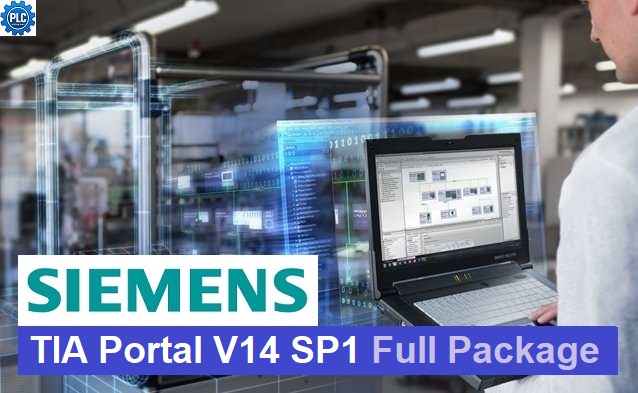
Integrated engineering software for PLC programming, HMI/SCADA development, motion control, and system commissioning. Update 10 provides improved stability, enhanced compatibility with Windows 10 (64-bit), and can also operate on many Windows 11 Systems.
Version V14 SP1 Update 10 is the latest update to date (2026) of TIA Portal V14 SP1 as of the time me wrote this article. It improves stability, fixes bugs, and enhances compatibility when working with Siemens devices such as S7-1200, S7-1500, WinCC HMI, PLCsim, and communication modules.
Key Features
- Integrated PLC programming with STEP 7 Professional
- HMI and SCADA development using WinCC
- Motion control and drive configuration with SINAMICS Startdrive
- Online diagnostics and troubleshooting
- Hardware configuration and network setup
- Library management and code reuse
- Support for PROFINET, PROFIBUS, Industrial Ethernet, and industrial communication protocols
- Multi-user engineering for improved project collaboration
System Requirements
This configuration provides smooth performance for PLC programming, HMI/SCADA development, PLCSIM simulation, online diagnostics, and large-scale TIA Portal projects.
| Component | Recommended Specification |
|---|---|
| Operating System | Windows 10 Pro/Enterprise 64-bit |
| Processor | Intel Core i5 (6th Gen or later) or equivalent |
| Memory (RAM) | 16 GB (32 GB recommended for large projects, PLCSIM, or WinCC) |
| Storage | SSD with at least 50 GB of free disk space |
| Display | Full HD (1920 × 1080) or higher |
| Network | Gigabit Ethernet |
| Graphics | DirectX 11 compatible graphics adapter |
What’s New Option in Update 10
Although Update 10 does not introduce major new engineering functions, it provides numerous enhancements, including:
- Improved software stability and reliability
- Better engineering performance for large projects
- Faster project loading and compilation
- Enhanced Windows 10 compatibility
- Expanded hardware compatibility
- Improved online monitoring and diagnostics
- Numerous bug fixes for STEP 7, WinCC, PLCSIM, and project management
- Includes all cumulative fixes from Updates 1 through 10
Supported Devices
TIA Portal V14 SP1 Update 10 supports a wide range of Siemens automation products, including:
- SIMATIC S7-1200 PLC
- SIMATIC S7-1500 PLC
- SIMATIC ET200 Distributed I/O
- SIMATIC HMI Basic, Comfort and Mobile Panels
- WinCC Runtime
- SINAMICS G120 and G120C Drives
- PROFINET and PROFIBUS Networks
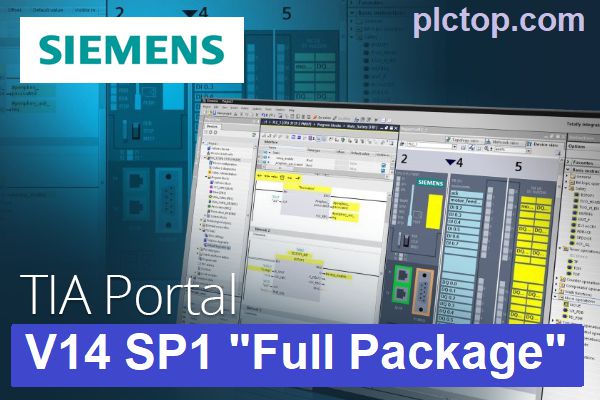
TIA-Portal V14 SP1 Software Full Download (Google Drive)
Please download the official software from the Siemens website using the following link.
Create an account, and you can easily download
Direct download link via Google Drive
1. Combo STEP7 Pro + WinCC Professional V14 SP1 Download (Recommend)
>>> Download STEP7 Professional V14 SP1 Upd.10 DVD1
>>> Download STEP7 Professional V14 SP1 Upd.10 DVD2
>>> Download WinCC Professional V14 SP1 Upd.10 DVD1
>>> Download WinCC Professional V14 SP1 Upd.10 DVD2
>>> Download SIMATIC STEP7 Safety V14 SP1 Upd.8
2. Combo STEP7 Basic + WinCC Basic & Comfort / Advanced V14 SP1 Download
>>> Download STEP7 Basic V14 SP1 Upd.10 DVD1
>>> Download STEP7 Basic V14 SP1 Upd.10 DVD2
>>> Download WinCC Basic V14 SP1 Upd.10 DVD1
>>> Download WinCC Basic V14 SP1 Upd.10 DVD2
>>> Download WinCC Comfort / Advanced V14 SP1 Upd.10 DVD1
>>> Download WinCC Comfort / Advanced V14 SP1 Upd.10 DVD2
3. SIMATIC S7-PLCSIM V14 SP1 Download Package
>>> Download SIMATIC S7-PLCSIM V14 SP1
Download SIM EKB Software (For trail use only, please contact Siemens for the best support.)
>>> Download SIM EKB Software for TIA Portal V14 SP1
Password Extract: plctop.com (Using New Winrar Software for Extract)
If the download link is broken or you have any problems during the installation of TIA Portal V14 SP1, please comment below the article, plctop.com will reply to you as soon as I read the comments.
Thanks for views.

Password extract: plctop.com
yes sir, thanks sir
Download WinCC Basic V14 SP1 Upd.10 DVD2 go to >>> Download STEP7 Professional V14 SP1 Upd.10 DVD2
Please check; I’ve fixed this link.
Je suis a la recherche dun formateur en automatisme
ok thanks you sir