
TIA Portal (Totally Integrated Automation Portal) is a comprehensive integrated software developed by Siemens, allowing users to program, configure, and troubleshoot all of the company’s automation equipment, such as PLCs (S7-1200, S7-1500, S7-300, S7-400), HMI screens, and inverter systems. Integrating all operations into a single platform helps engineers save significant time in design and project management.
For automation engineers, Siemens’ software ecosystem has always played a core role in operating and controlling modern production lines. Among the versions released, Tia Portal V16 is considered “perfect,” striking a perfect balance between modern features and operational stability. Even now, it remains highly reliable.
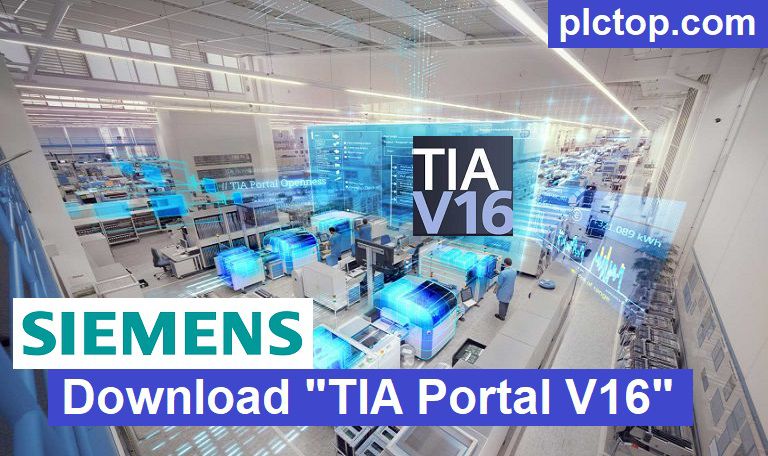
The salient features of TIA PORTAL V16
+ The handy application will give you unrestricted access to a range of automation services.
+ Shorten the time needed to market as simulation tools.
+ Increase plant productivity with the help of additional diagnostics as well as energy management functions.
+ Gives you greater flexibility by connecting with management.
+ Considered the perfect portal to participate in Digital Business.
- PLC Programming
- Supports Siemens SIMATIC S7-1200 and S7-1500 PLCs.
- Supports programming languages such as LAD, FBD, STL, SCL, and GRAPH depending on the PLC and software package.
- Provides structured programming, reusable blocks, libraries, and data management.
- HMI Engineering
- Integrated configuration of Siemens HMI devices.
- Supports SIMATIC Basic Panels, Comfort Panels, and PC-based HMI systems.
- Enables screen design, alarms, recipes, user management, trends, and system diagnostics.
- PLC and HMI Integration
- Easy configuration of communication between PLCs and HMIs.
- Shared tags and centralized project data reduce configuration time and errors.
- Hardware and software components can be managed within a single project environment.
- Hardware Configuration
- Configuration of PLC CPUs, signal modules, communication modules, drives, and other automation devices.
- Network configuration and device addressing can be performed directly within the project.
- PROFINET and Industrial Communication
- Supports PROFINET-based industrial networks.
- Provides configuration of Ethernet communication, device names, IP addresses, and network topology.
- Supports various Siemens communication mechanisms for PLC-to-PLC and PLC-to-device communication.
- Drive Engineering
- Integration and configuration of Siemens drives such as SINAMICS.
- Enables parameterization, commissioning, diagnostics, and communication configuration.
- Online Diagnostics
- Real-time monitoring and troubleshooting of PLC and connected devices.
- Provides diagnostic information for hardware, communication, and program errors.
- Online monitoring can help identify faults during machine commissioning and operation.
- PLCSIM Simulation
- Supports PLC program simulation without requiring a physical PLC.
- Useful for testing and debugging PLC programs before commissioning on real hardware.
- Helps reduce commissioning time and development costs.
- Trace and Program Monitoring
- Provides tools for monitoring program variables and system behavior.
- Trace functions can be used to analyze signals and identify problems during commissioning.
- Safety Engineering
- With the appropriate option/package, TIA Portal can be used to configure and program Siemens fail-safe systems.
- Supports safety-related PLC programming and diagnostics for compatible SIMATIC Safety devices.
Typical Applications
TIA Portal V16 can be used for:
- Industrial machine automation
- Production lines
- Packaging machines
- Conveyor and material-handling systems
- Process automation
- Motion control applications
- PLC and HMI development
- Machine commissioning and troubleshooting
- PLC simulation and testing
In summary, TIA Portal V16 provides an integrat
+ Snapshot of actual values stored in XML file while exporting via Open. Different snapshots can be compared through XML files.
+ XML import bears the error of inconsistent blocks
+ XML blocks can be imported, even if used UDTs or so-called blocks are not available or do not match in the target project.
+ Automatic activation of two PLC comparisons possible in different projects.
+ Automatically protect the blocks
The operating system supports TIA PORTAL V16
+ Microsoft Windows 7
+ Microsoft Windows 8/8.1
+ Microsoft Windows 10
+ Microsoft Windows 11
+ Microsoft Windows Sever 2016/2019
TIA-Portal V16 Software Full Download (Google Drive)
Please download the official software from the Siemens website using the following link.
Create an account, and you can easily download
Direct download link via Google Drive
1. Combo STEP7 Pro + WinCC Professional V16 Download (Recommend)
>>> Download STEP7 Pro & WinCC Professional V16 DVD1
>>> Download STEP7 Pro & WinCC Professional V16 DVD2
>>> Download WinCC Runtime Professional V16
+ Download TIA Portal V16 Update 8 (for STEP7 & WinCC All Versions) (Latest Update)
>>> Download SIMATIC PLCSIM V16
2. Combo STEP7 Pro + WinCC Advanced V16 Download
>>> Download STEP7 Pro & WinCC Advanced / Unified V16 DVD1
>>> Download STEP7 Pro & WinCC Advanced / Unified V16 DVD2
>>> Download WinCC Runtime Advanced V16
>>> Download WinCC Unified PC V16 (Runtime Unified)
+ Download TIA Portal V16 Update 8 (for STEP7 & WinCC All Versions) (Latest Update)
>>> Download SIMATIC PLCSIM V16
3. Other Software in Package
>>> Download Startdrive Advanced V16 Update 5
>>> Download SIMATIC NET V16
>>> Download SINAMICS DCC V16
>>> Download SiVarc V16
>>> Download Soft_Starter_ES V16 Upd 4
======
>>> SIM EKB Install for TIA Portal V16
Note: Only if you are a student or have a learning need should use this software, for companies and professional engineers I recommend contacting Siemens to buy a license for the best support.
Password Extract: plctop.com (Using New Winrar Software for Extract)
If you encounter any problems during the download of TIA PORTAL V16 software or software installation, please comment below the article. Please like, and share if it helps
Thanks and best regards!