FR-Configurator2 is an upgraded version of FR-Configurator SW3 software. It supports both the old inverter models like A700, D700, E700, F700 and the new inverter A800 Series.
The FR-Configurator2 package that plc247.com shares with you includes 4 software:
+ FR-Configurator2 Version 1.03D
+ FR-Configurator2 Version 1.13P
+ FR-Configurator2 Version 1.15R
+ FR-Configurator SW3: Used for older inverters (only installed on 32-bit operating systems)
Operating system support
– FR-Configurator2 1.03D, 1.13P, 1.15R
+ Windows Vista, Windows 7 (64bit)
+ Windows 8/8.1, Windows 10 (64bit)
– FR-Configurator SW3: Only supports 32-bit operating systems
Detailed software installation instructions with pictures
+ Step 1: Download the software and extract it using the password plc247.com

+ Step 1: Run the autorun file

+ Step 3: Select the software you want to install depending on the inverter you need to connect to

+ Step 4: Select the version you want to install, plc247.com recommends using the latest version

+ Step 5: The software will automatically enter the Key, you just need to select Next to continue

+ Step 6: Choose Destination Location

+ Step 7: Select Install to start the software installation

+ Step 8: Wait for the installation process for a few minutes

+ Step 9: Select Finish when the installation is complete
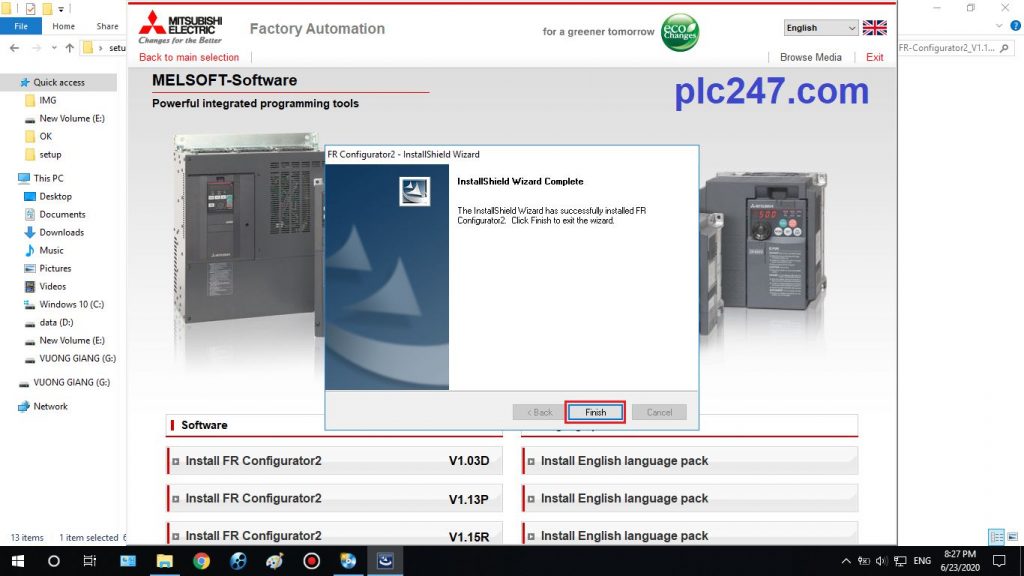
And we have the latest version of FR-Configurator2

Instructions for installing software by video
Link Download FR-Configurator2
>>> Download FR-Configurator2 with GoogleDrive Part.1 
>>> Download FR-Configurator2 with GoogleDrive Part.2
Password Extract: plc247.com
==========
If the download link is broken or there is a problem during the installation process, please comment below the article to plc247 fix the link.
Please share if found useful, thanks!