


GT Designer3 is Mitsubishi Electric’s HMI (Human-Machine Interface) design software, used to create, edit, and manage operation screens for GOT1000, GOT2000, and GOT3000 series HMIs. This software is a key component of the GT Works3 suite, alongside GT Simulator3 and other data transfer tools.
GT Designer3 V1.401T is the latest version of Mitsubishi HMI software as of the time of writing this article, so you can rest assured that it supports the entire range of Mitsubishi HMIs, from older models to the newest ones.
Key Functions
- Design HMI screens using an intuitive Drag & Drop interface.
- Create push buttons, indicator lamps, gauges, trend charts, data tables, and alarm screens.
- Connect to Mitsubishi PLCs and many third-party PLCs via Ethernet, RS-232, RS-485, CC-Link, and Modbus.
- Display real-time data from PLCs.
- Configure Trend Graphs, Recipes, Data Logging, and Historical Data.
- Develop multi-language HMI screens.
- Manage user accounts and access permissions.
- Simulate HMI applications on a PC using GT Simulator3 before downloading them to the HMI.
HMI Development Workflow
- Create a new project.
- Select the target GOT HMI model.
- Configure the PLC and communication protocol.
- Design the operator screens.
- Assign PLC device addresses to HMI objects.
- Simulate the application using GT Simulator3.
- Download the project to the GOT HMI.
Applications
GT Designer3 is widely used in various industrial automation systems, including:
- Automation machines
- Production lines
- Packaging machines
- CNC machines
- Industrial robots
- Small-scale SCADA systems
- Factory monitoring and control systems
Installation Instructions
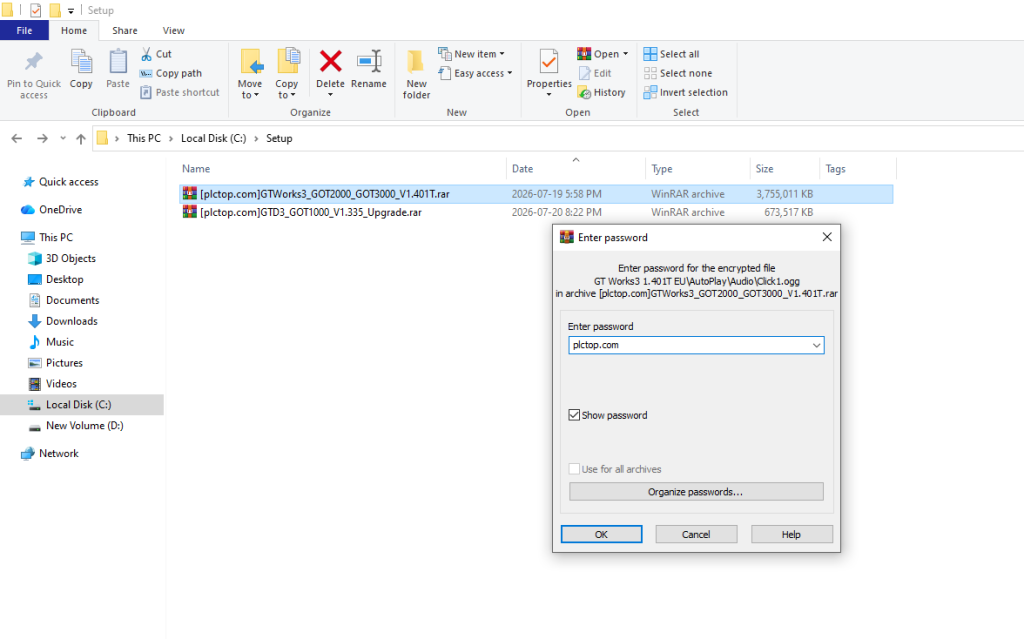
+ Step 1: First, extract the file “GXWorks3_GOT2000_GOT3000_V1.401T” with password plctop.com
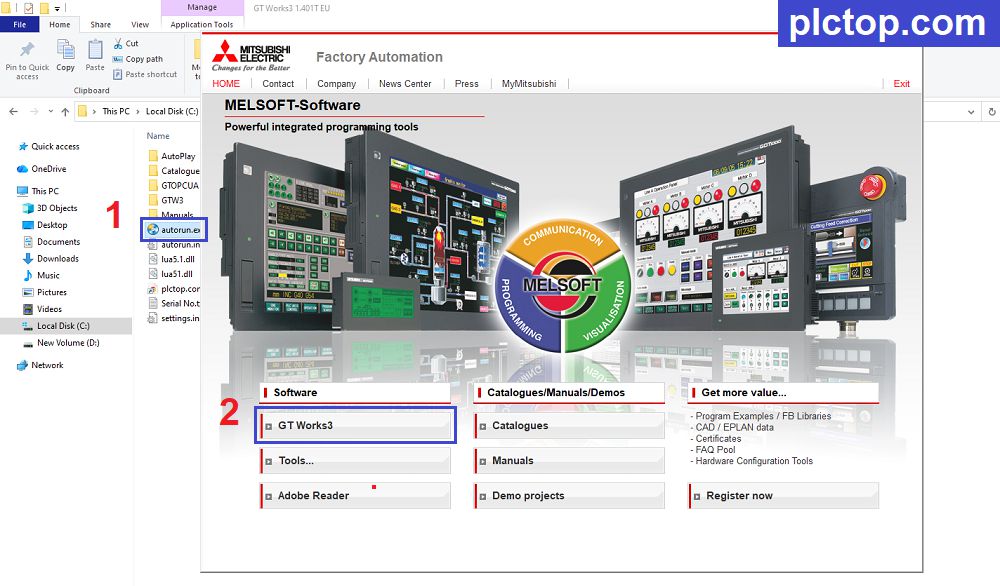
+ Step 2: Run the autorun.exe file and select GT Works3
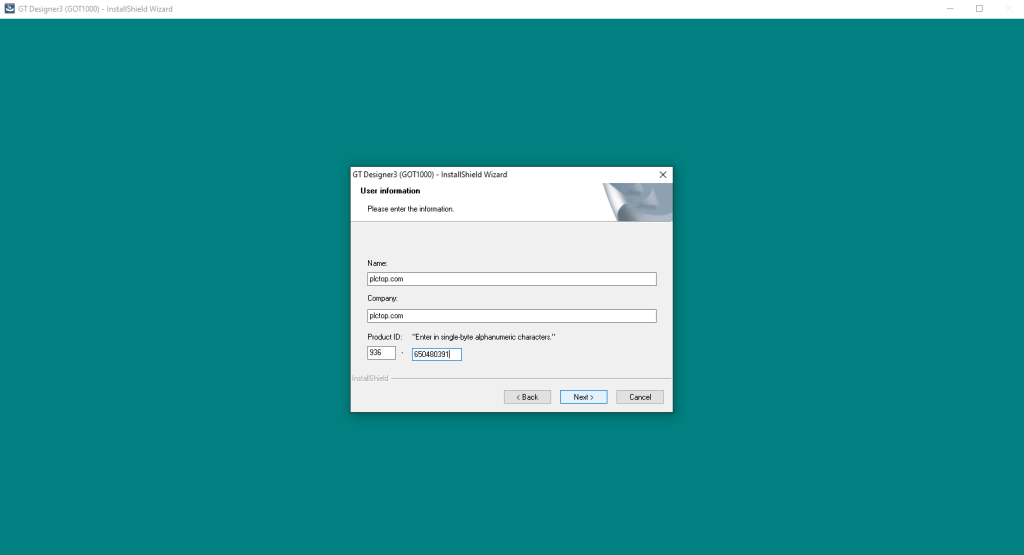
+ Step 3: Enter the “Product ID” and continue clicking Next until the installation process is complete.
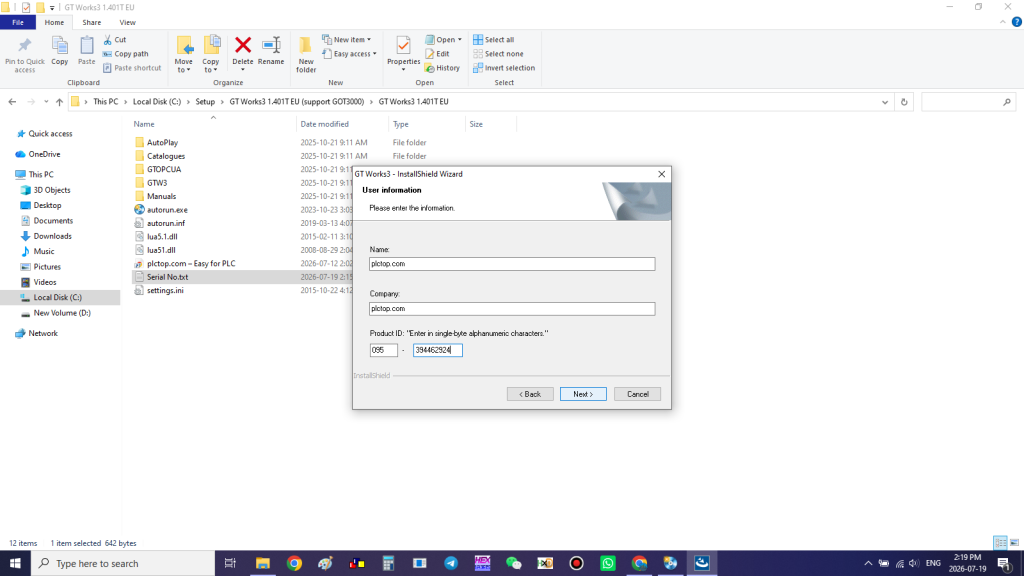
we are able to work with Mitsubishi GOT3000, GOT2000, and GS2000 HMIs.
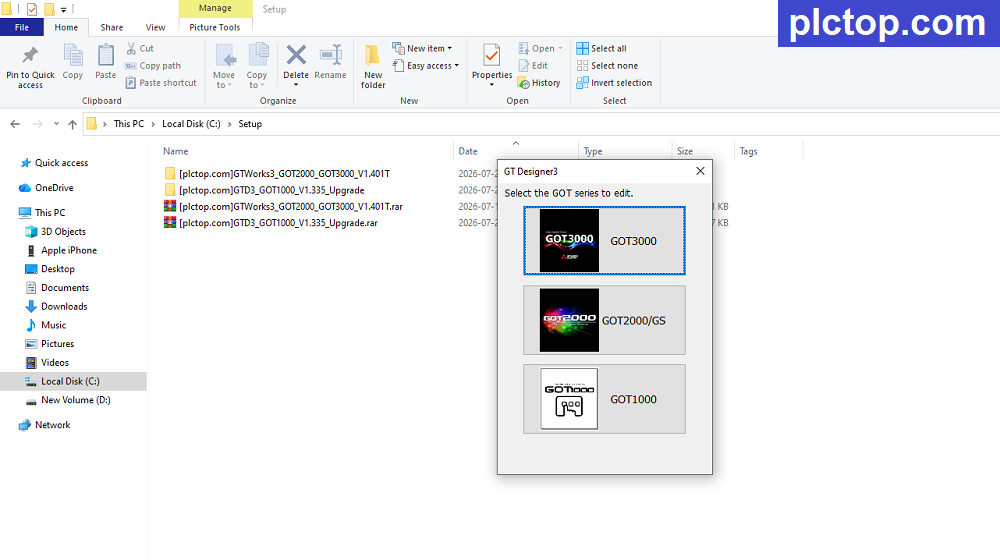
+ Step 4: Proceed with extracting the GT Designer GOT1000 Update software (for older Mitsubishi GOT1000 series HMIs).
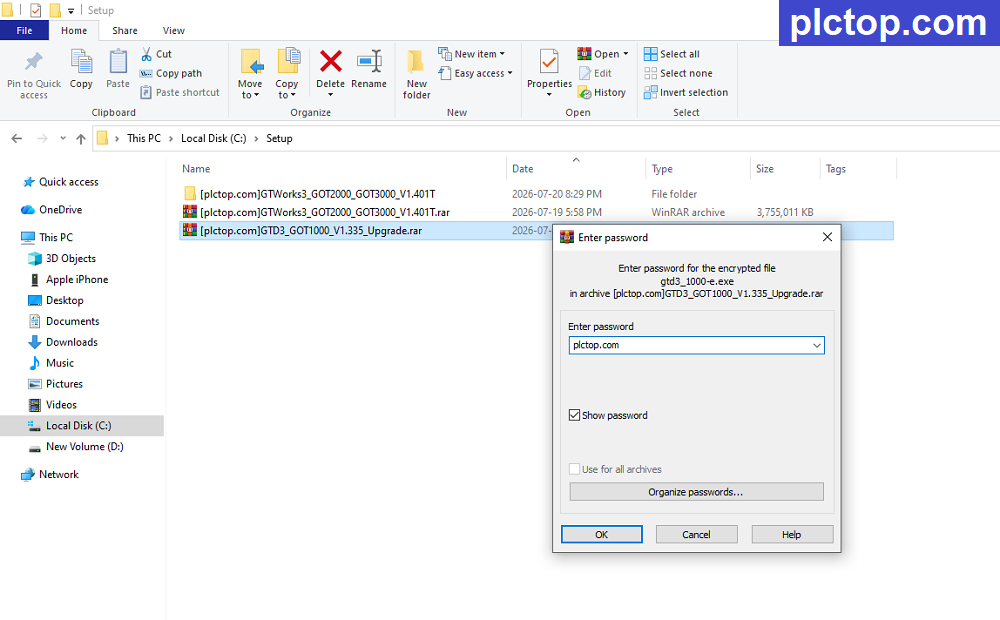
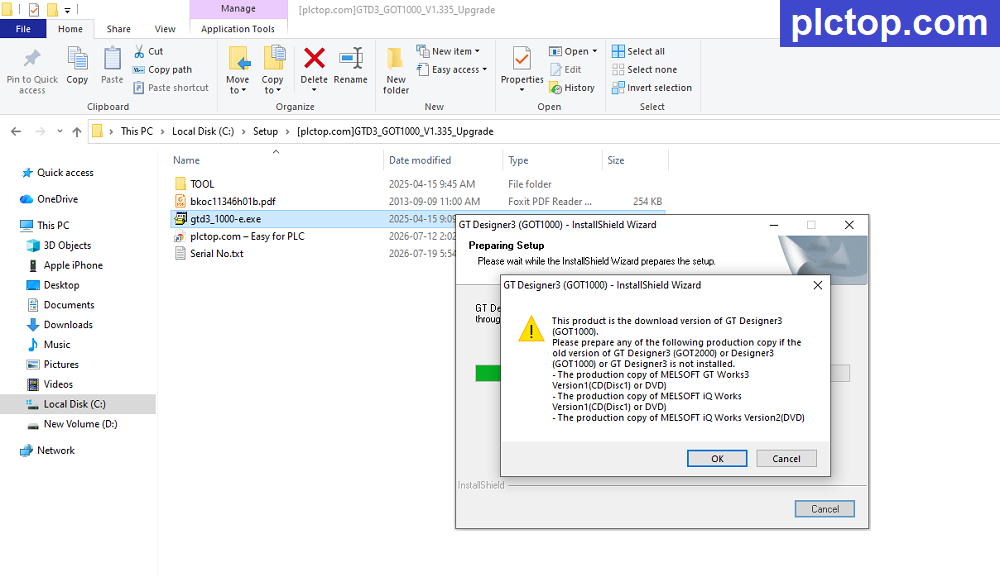
+ Step 5: Run the “gtd3_got1000_e” .exe file, then select OK.
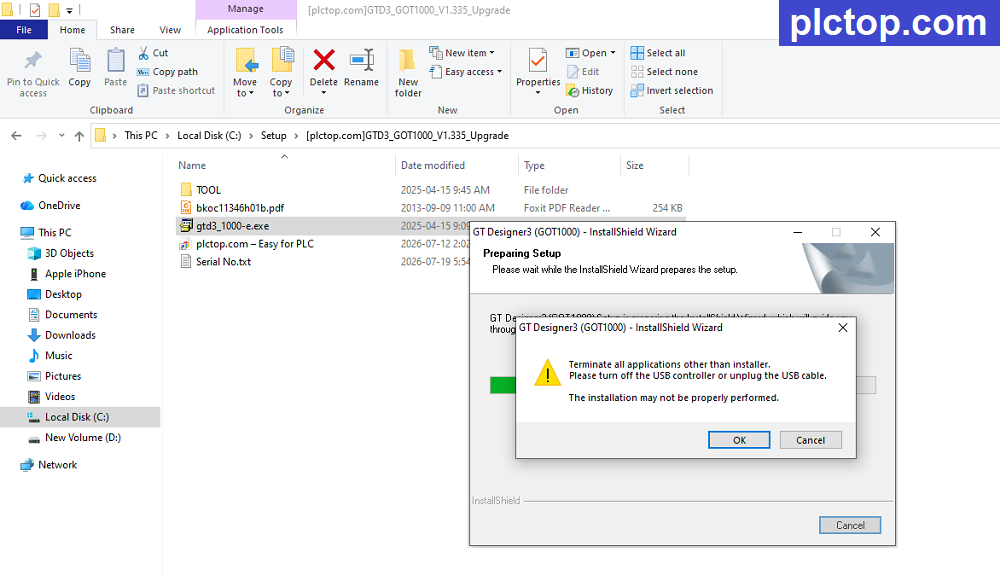
+ Step 6: Continue by selecting “OK”
+ Step 7: Enter the “Product ID” and continue clicking Next until the installation process is complete GOT1000 setup
+ Step 8: Enjoy
GT-Works3 / GT-Designer3 Software Full Download (GoogleDrive)
Direct download link via Google Drive
>>> Download GT Desinger 3 V1.401T GOT2000 GOT3000 Software Link
>>> Download GT Desinger 3 GOT1000 Update Software Link
Password Extract: plctop.com
If the download link is broken or you have any problems during the installation of VT Studio V8, please comment below the article, plctop.com will reply to you as soon as I read the comments.
Thanks for views





不能下載
what happen for you sir ?
Hi. Not able to download the file. It is showing me error as too many users have viewed or downloaded the file so unable to download it.
To resolve the above you must open another tab in Chrome, sign in to your google email account, switch to the first tab in Chrome, and then you will be able to download it.