KV-Studio V11 is specialized software used to program most of Keyence’s PLCs. KV Studio V11 is the latest release as of this writing. This is an upgrade with many innovative features and supports the latest PLC models of Keyence
List of PLCs for which programming is supported by software:
+ KV-8000 Series, KV-7500/7300 Series
+ KV-5500/5000/3000 Series, KV-1000/700 Series
+ KV-NC32, KV-N60/N40/N24/N14
+ KV-24(40), KV-10(16), KV-P16

The software is integrated in KV-Studio
+ KV-Studio: Main software for PLC programming
+ KV-Motion: Install the position control module ML / MC
+ Motion Builder: Module configuration H20S / 40S / 20G and Servo SV-Series
+ Protocol Studio: Communication Module configuration
KV-Studio software always helps programmers save the most time, and extremely easy to learn even for those who are new to PLC Keyence
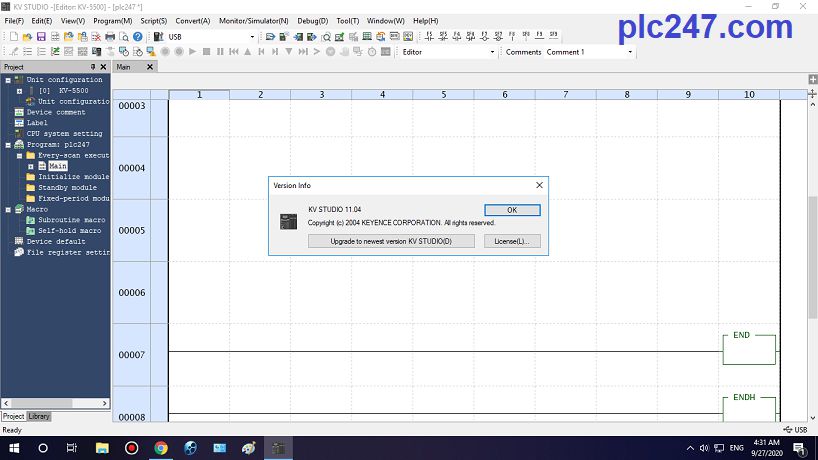
The interface works beautifully and intuitive, constantly improving continuously from KV-Studio V6> V7> V8> V9> V10> V11. When using Keyence’s software, we can understand why they are Japan’s second largest company

Detailed software installation instructions video
Link Download Software
1. Download with GoogleDrive 
+ Step 1: Download and Install KV Studio V6.12
+ Step 2: Download and Install KV Studio V11
+ Step 3: Download KV Studio User’s Manual
Password Extract: plc247.com
2. Download with MediaFire 
+ Step1: Download_and_Install_KV-Studio_V6.12
+ Step2: Download_and_Install_KV-Studio_V11
+ Step3: Download_KV-Studio_User’s_Manual
Password Extract: plc247.com
=====
Thanks for reading my writing. If you need assistance in downloading, installing software or programming PLC Keyence, please comment below the article or email plc247.com. We will reply to you as soon as we read it