


Automation License Manager V6.0 vs V6.2: What’s the Difference?
Automation License Manager (ALM) is Siemens’ official software for managing licenses used by industrial automation products such as STEP 7, TIA Portal, WinCC, Startdrive, and other SIMATIC software packages. Both ALM V6.0 and ALM V6.2 provide essential license management functions, including license activation, transfer, backup, and monitoring. However, there are several important differences between the two versions.
Automation License Manager V6.0 is an older generation release primarily designed for legacy Siemens software, including STEP 7 V5.5, STEP 7 V5.6, WinCC Flexible, and early TIA Portal versions. It is widely used in existing industrial systems and has proven to be highly stable on Windows 7 and Windows 10 environments. For engineers working with older PLC programming stations or long-running production systems, ALM V6.0 remains a reliable choice due to its excellent compatibility with legacy licenses and software.
Automation License Manager V6.2 is a newer release developed to support modern Siemens automation platforms and operating systems. Compared with V6.0, it offers improved compatibility with Windows 10 and Windows 11, as well as better support for the latest versions of TIA Portal, WinCC, Startdrive, SINAMICS, and other Siemens engineering tools. Siemens has also enhanced the licensing framework to accommodate newer license formats and digital licensing technologies.
One of the most significant differences lies in license compatibility. ALM V6.0 is optimized for older Siemens products and license keys, while ALM V6.2 is designed to handle both legacy and newer licensing schemes more effectively. Users running modern Siemens software may encounter license recognition issues when using outdated versions of ALM, making V6.2 the preferred option for newer installations.
In terms of stability and system compatibility, ALM V6.0 continues to perform well in legacy environments where only STEP 7 Classic or older Siemens applications are required. However, for modern computers and operating systems, ALM V6.2 provides better overall reliability, improved security updates, and enhanced support for current Siemens software ecosystems. It also helps reduce common licensing errors such as “License was not found,” “Internal error occurred in the Automation License Manager,” and “Please reinstall the Automation License Manager.”
Another advantage of ALM V6.2 is ongoing maintenance and support from Siemens. New service packs and updates continue to improve performance, security, and compatibility with recently released automation products. In contrast, ALM V6.0 is mainly maintained for backward compatibility purposes.
Conclusion
If you are working with STEP 7 V5.5, STEP 7 V5.6, or other legacy Siemens software on older engineering stations, Automation License Manager V6.0 remains a practical and stable solution. However, for users running TIA Portal, WinCC, Startdrive, SINAMICS, or Windows 10/11-based systems, Automation License Manager V6.2 is strongly recommended due to its improved compatibility, enhanced security, and support for modern Siemens licensing technologies.
Choosing the correct ALM version according to your Siemens software environment is essential for ensuring reliable license management and uninterrupted engineering operations.
One of the common errors is that when we install TIA Portal, we will encounter a message displaying “Step 7 has found a problem with the Automation License Manager”, this is an extremely annoying error and if not handled, it is impossible use software.
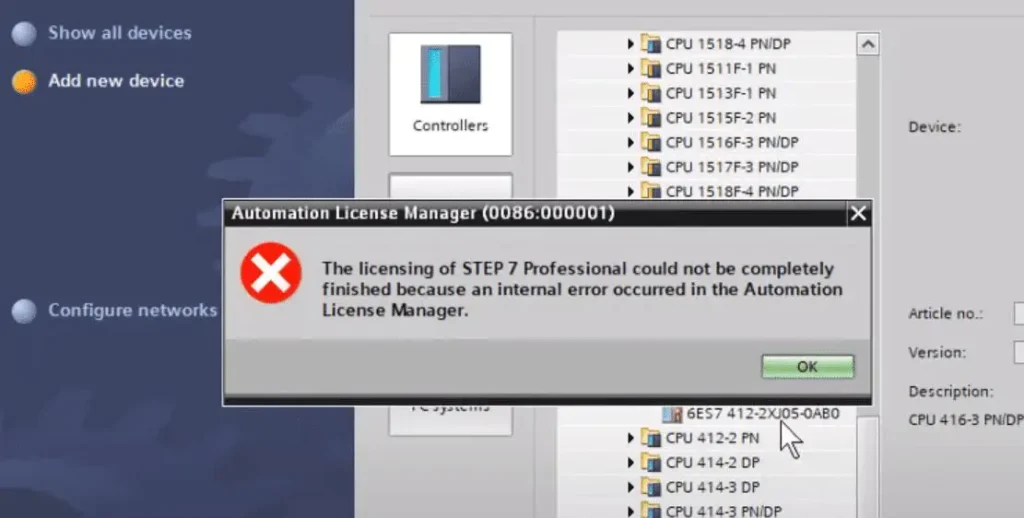
How to fix “The licensing of STEP 7 Professional could not be completely finished because an internal error occurred in the Automation License Manager.” Siemens
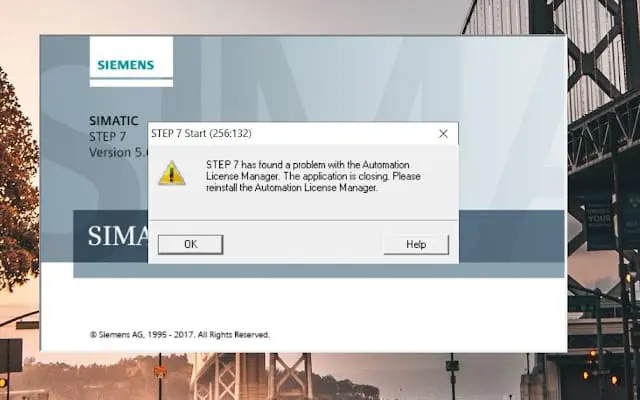
How to fix “STEP 7 has found a problem with the Automation License Manager. The application is closing. Please reinstall the Automation License Manager.” Siemens
How to fix “License ‘STEP 7 BASIC’ was not found.”
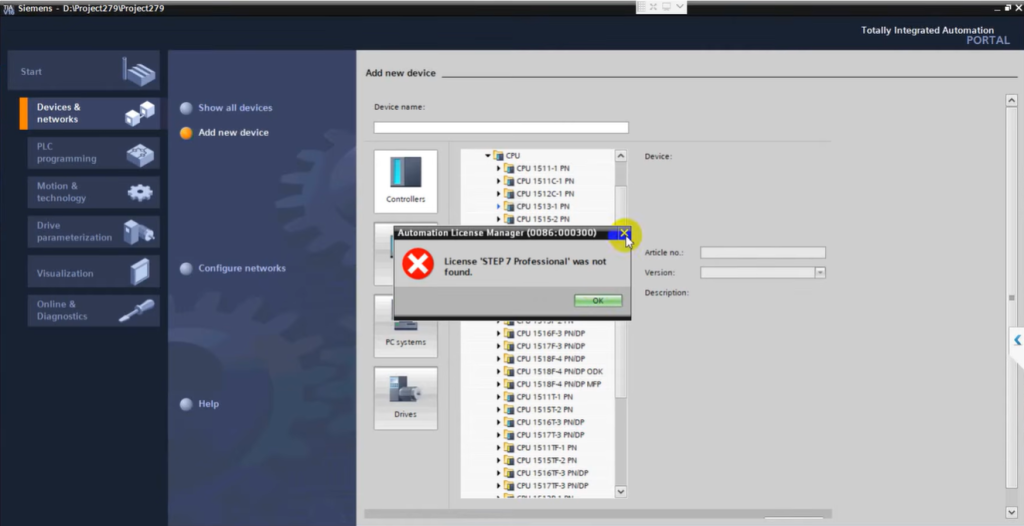
How to fix “License ‘STEP 7 Professional’ was not found.”
In particular, with the current popularity of Windows 11, many technicians have encountered a major obstacle when doing similar work. Even though the installation is complete, when starting the software, the system repeatedly reports the error: “The Automation License Manager Service has not been started!”, preventing TIA Portal from operating.
Installation Instructions
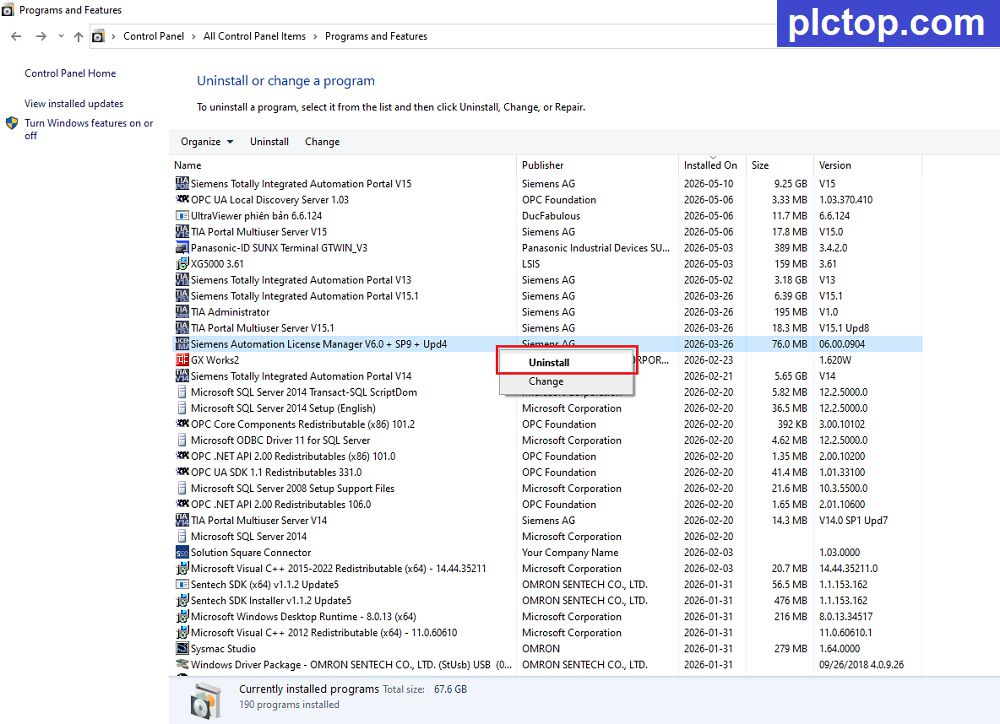
+ Step.1: Uninstall the old version of Automation License Manager from your computer.
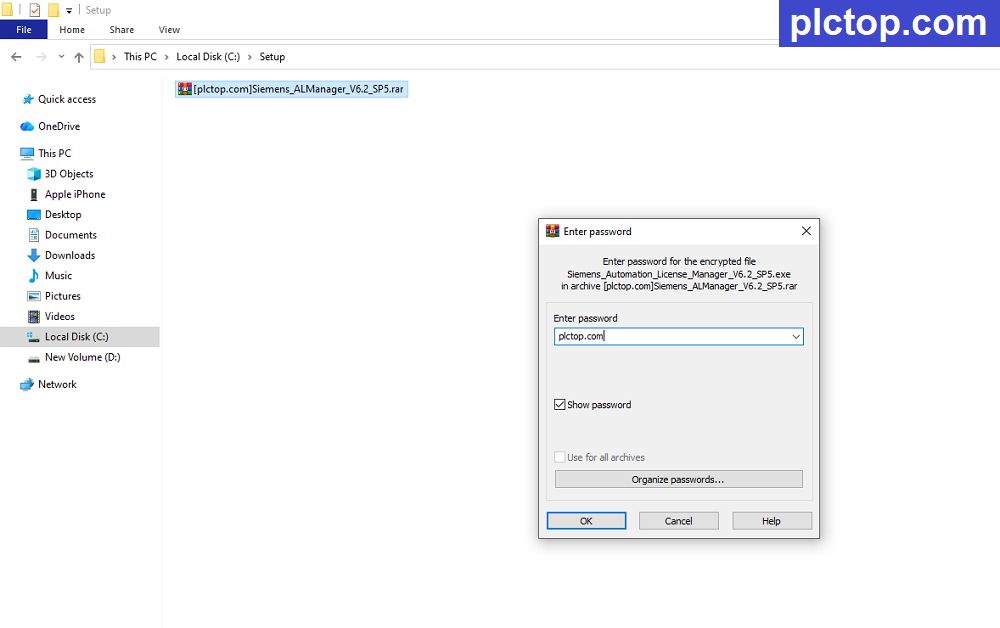
+ Step.2: Download and extract the Automation License Manager software using the password “plctop.com”
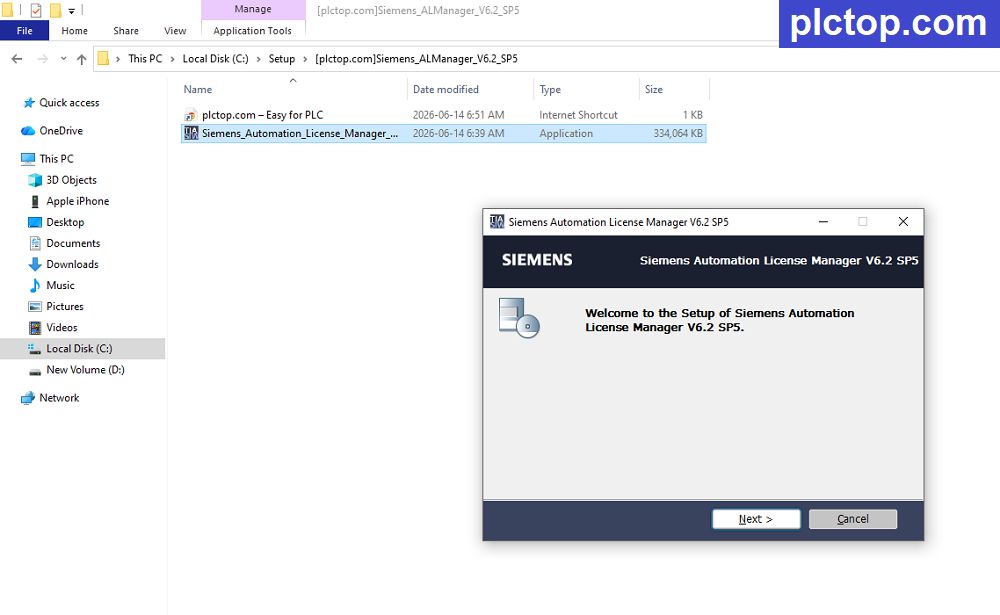
+ Step.3: Choose “Next”
+ Step.4: Select the installation language.
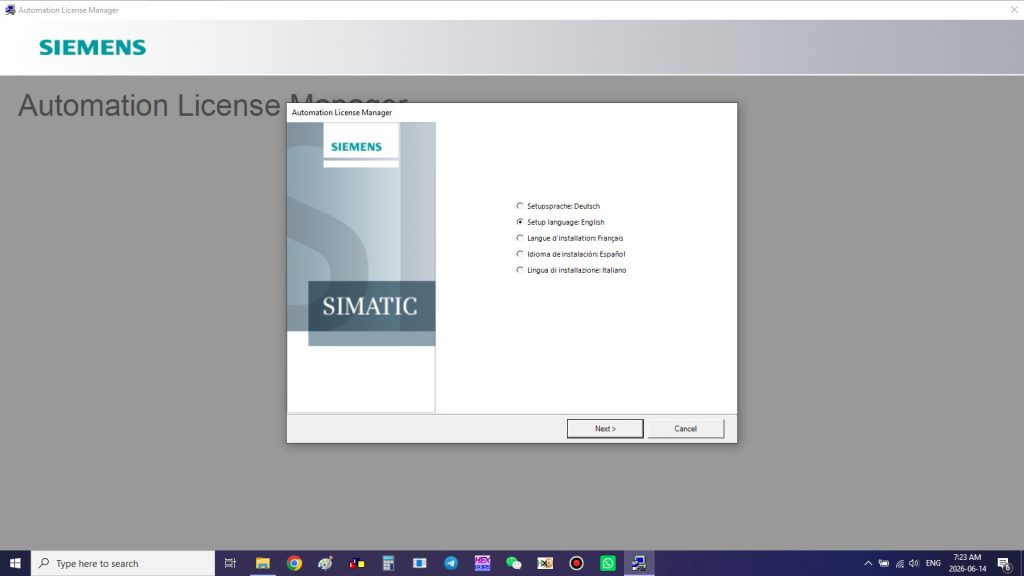
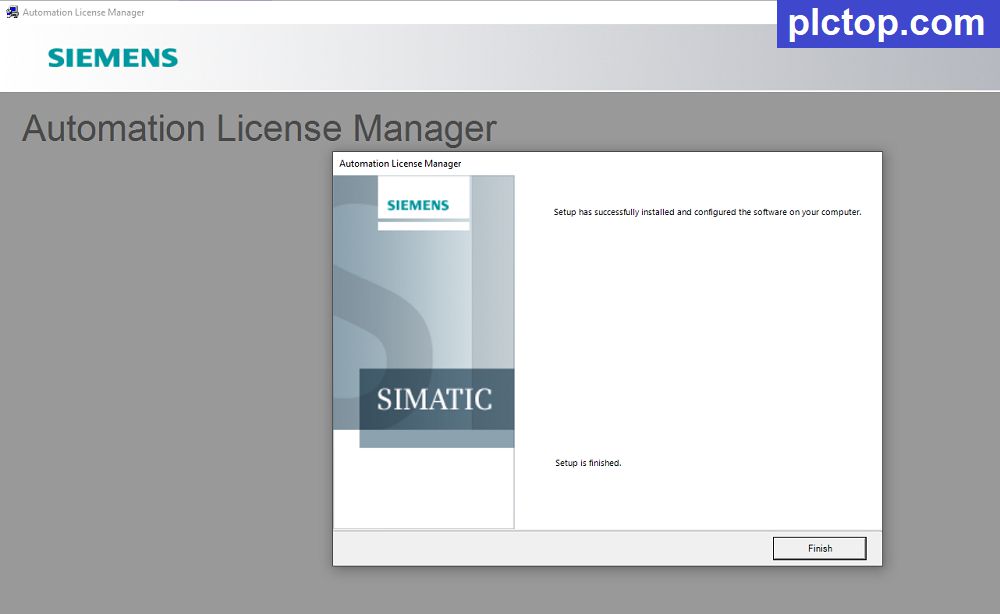
+ Step.5: Keep clicking Next until the installation is complete.
Software Download Link (Google Drive)
>>> Download Automation License Manager V6.2 SP5
>>> Download Automation License Manager V6.0 SP13
Password Extract: plctop.com
If the Download Link is broken or you need any support, please comment below the article, plctop.com will reply to you as soon as I read the comments.
Thanks and Best Regards!

i have issue while downloading Siemens Automation License manager [plctop.com]Siemens_ALManager_V6.2_SP5.rar kindly rectify the same
what happen for you sir ?
Hello, I’m having an issue with Siemens Automation License Manager. It only shows a 21-day trial instead of my license. How can I fix this issue?
please update ALM for according to this article
I updated ALM, but I still have the same problem. The program does not open at all. How can I fix it?
please email to plctop.com@gmail.com
Hello, I emailed you yesterday regarding the ALM license issue, but I haven’t received a reply yet. Could you please check my email?
Hi, seems not possible to dovwnload automation license manager. How can i do ? Plus, it works with V21 ?
working for V21 sir, please check
can you please sent me the link to download aut license manager? with the link i get always “can’t download”
Thanks
sent to me image error sir
baixei o alm v6.2 sp5 para liberar licensa do tia v17 porem nao consegui instalar, como faço para resolver
please contact me via email or telegram sir
hi sir my PLC “Add” option is grayed out.
Please support me to resolve the issue.
please contact me via email: plctop.com@gmail.com
Can i please working downoload link?
The download link is at the very bottom of the article.
You cannot view or download this file at this time.
Too many users have viewed or downloaded this file recently. Please try accessing it again later. If the file you are trying to access is particularly large or is shared with many people, it may take up to 24 hours before it becomes available for viewing or downloading. If you still cannot access it after that time, please contact your domain administrator.
Sign in to Chrome and you can download it.
Trying to download in Chrome. Still says the same thing:
You cannot view or download this file at this time.
Too many users have viewed or downloaded this file recently. Please try accessing it again later. If the file you are trying to access is particularly large or is shared with many people, it may take up to 24 hours before it becomes available for viewing or downloading. If you still cannot access it after that time, please contact your domain administrator.
Any solutions please?
OK, to resolve the above you must open another tab in Chrome, sign in to your google email account, switch to the first tab in Chrome, and then you will be able to download it.
OK, to resolve the above you must open another tab in Chrome, sign in to your google email account, switch to the first tab in Chrome, and then you will be able to download it.
ok thanks sir help me, i will share to other
how to replace alm 6.0 with the new one? do you have the tutorial?
Please uninstall and reinstall.
no se puede